Home / How it works
From download and registration to every feature, here is exactly what you will see on screen and how to use it.

A quick walk-through of how the ICEcard app works, from your first sign-in to the moment help reaches you.
Captions are on screen, so it works with the sound off too.

Download the ICEcard app from Google Play or the App Store, enter your mobile number and optionally a referral code, then tap Send OTP.

Enter the 6-digit code sent to your mobile number and tap Verify & Continue. Use Change mobile number if you entered it wrongly.

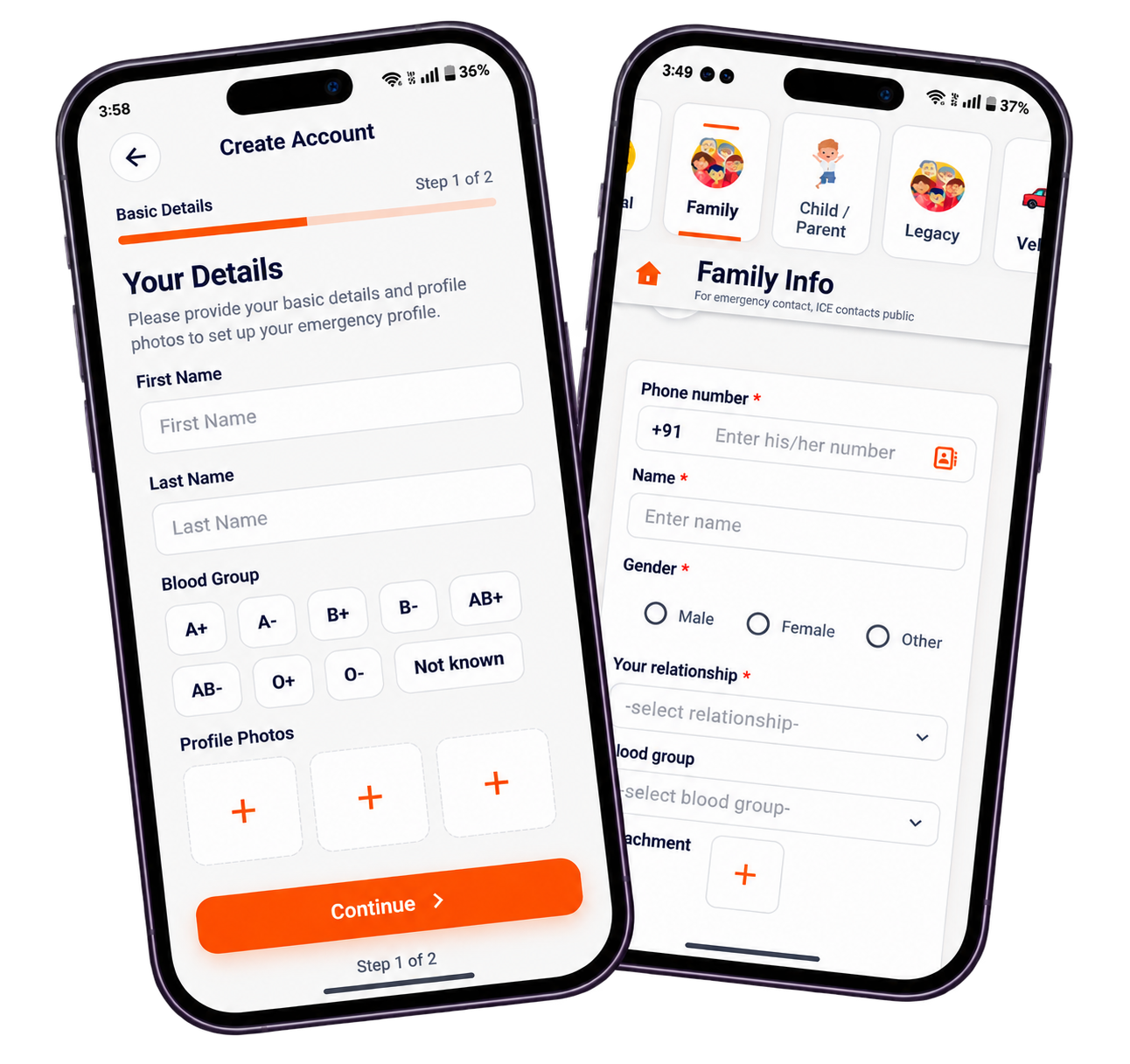
Enter your first and last name, choose your blood group and add profile photos to set up your emergency profile.

Stand in a well-lit area, follow the on-screen direction indicator, keep a natural expression and remove sunglasses, caps or anything covering your face.

Add trusted people to notify in an emergency: phone number, name and relationship. Use Add another ICE number for more contacts, then tap Submit.

The app explains how location is used for emergency updates and live sharing. You can stop background location any time from within the app.
Open each section from the top of your profile and fill in what is relevant to you. Public details help helpers, private details stay with your legacy contacts.

Need Help, Scan for Help and Quick Services (Mechanic, Police Station, Blood Donor and Ambulance) are one tap away.

Keep your name, photo, gender, email and phone number up to date.

Add family members with phone number, name, gender, relationship and blood group. ICE contacts are marked here.

Register children and elders with name, age and a photo from device or a live image, so any ICEcard user can help if they are lost.

Blood group, height, weight, blood or organ donor status, medical conditions and allergies: your first-hand health information.

Store policy type, company, insurance ID and TPA details. Only medical insurance is public.

Add your family doctor’s contact number, name and specialization.

Private details that are accessible only to your legacy contacts in case of any emergency to you.

Every profile has an ICE QR code. Share it with others or save it to your gallery.

Choose an emergency service such as Blood Donor, add a title, description and address, and create a request for yourself or for others.

Raising a request alerts your emergency contacts and concerned authorities with your contact details, so please use it responsibly.

Value-add features, such as adding family members without their mobile number or using Face Scan to find people, may need a subscription.
ICEcard (In Case of Emergency) is your digital Health & Emergency identity — an app that stores your emergency contacts, medical conditions and allergies so a doctor, ambulance team or first responder can access them quickly in an emergency.
No. There is no physical card. Everything lives in the ICEcard app on your phone.
No. A helper uses their own phone and the ICEcard app to scan your face and sees only the information you chose to share.
The ICEcard app uses Amazon AWS servers and encryption. Face data is collected only with your consent and is not shared with third parties for marketing.