How the ICEcard App Works

Create, prepare, and stay readyβ€”transforming emergency response from uncertainty into fast, structured life-saving assistance.

Getting Started

Set Up Your ICE Card in 5 Simple Steps

From your phone number to a fully verified emergency profile β€” here's exactly what happens, screen by screen.

01
πŸ“± Step 1

Verify Your Mobile Number

Enter your phone number and confirm with a one-time OTP to start your secure ICE profile. A referral code is optional.
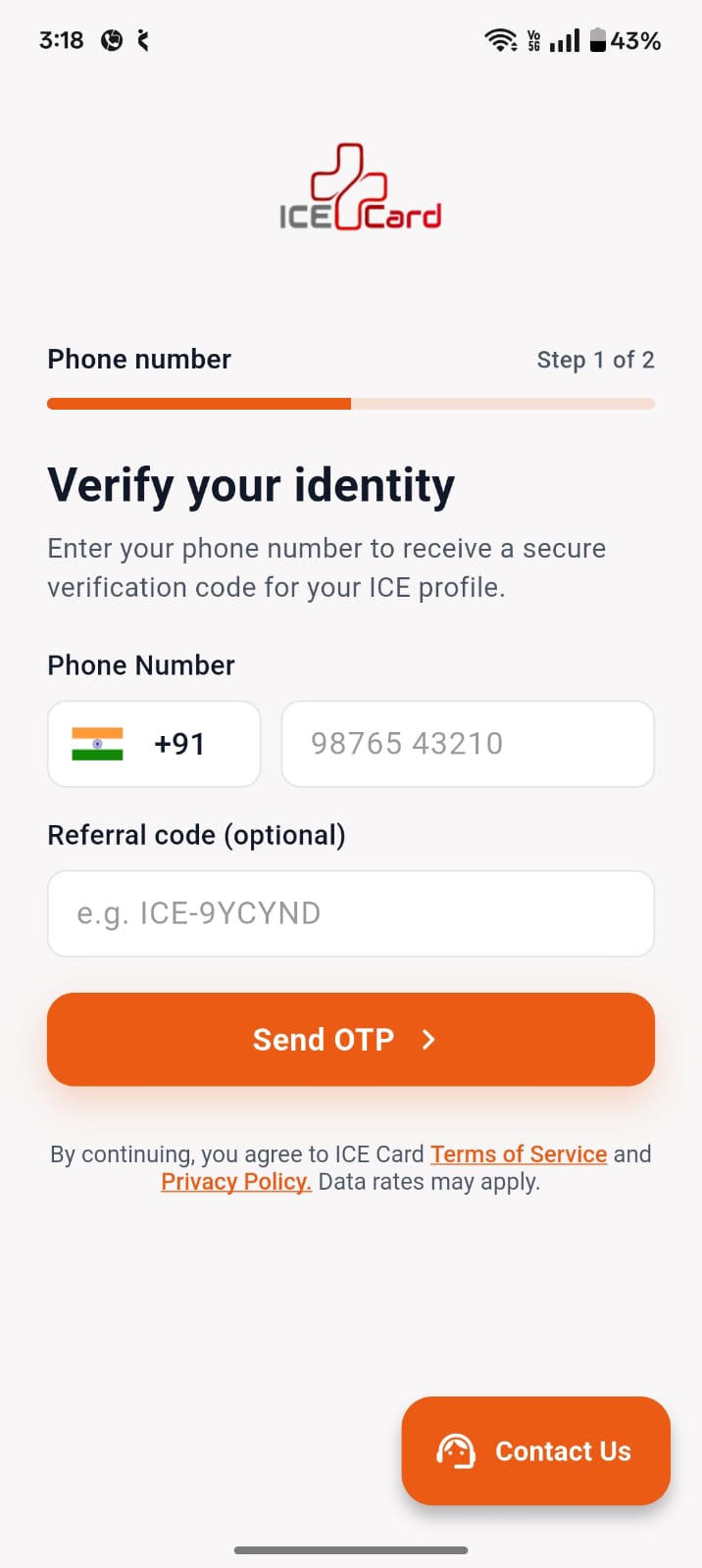
Verify Your Mobile Number
1
2
02
πŸ“ Step 2

Create Your Emergency Profile

Add your name, blood group and a profile photo β€” the essentials a responder needs to identify and help you fast.
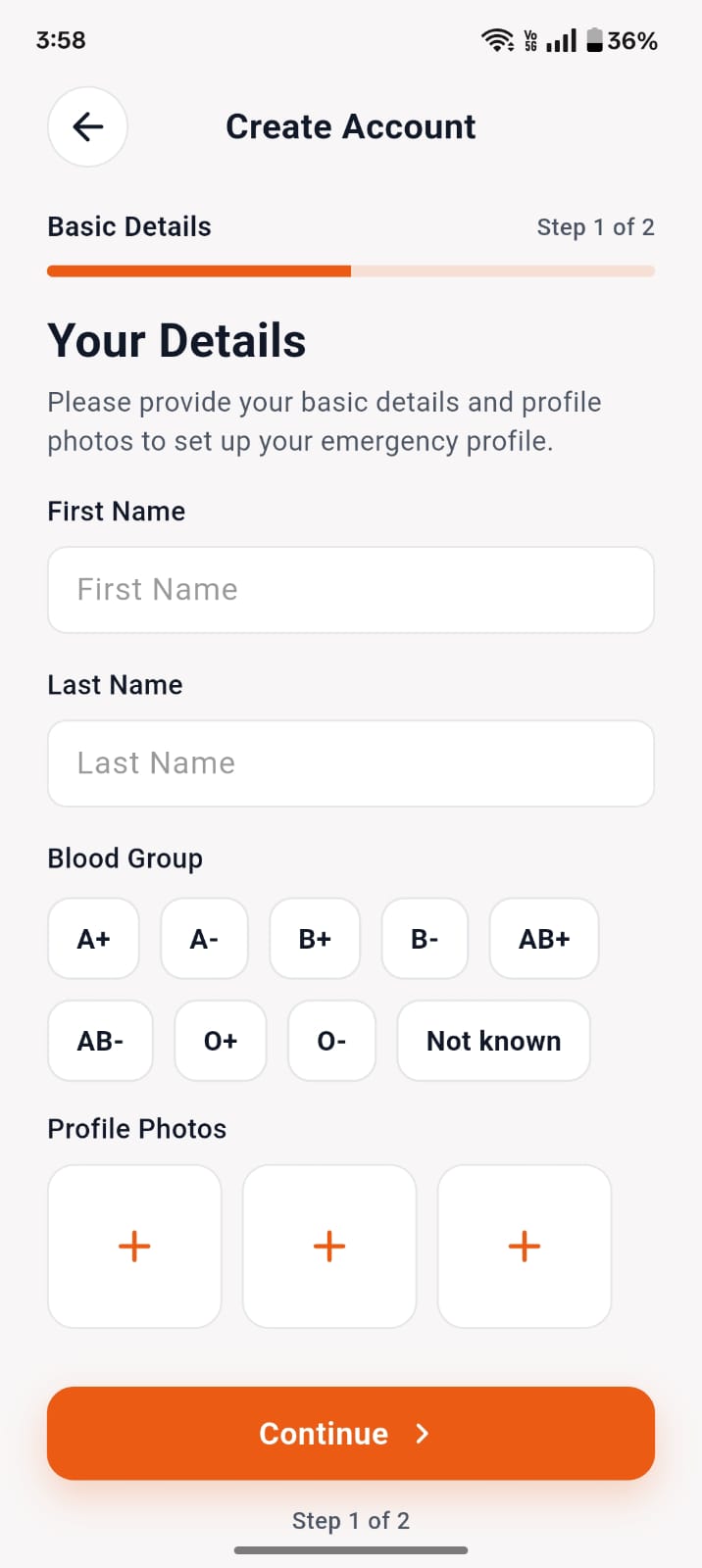
Create Your Emergency Profile
03
πŸ”’ Step 3 Β· Face Scan

Live Face Verification

Follow the on-screen guide β€” good lighting, natural expression, face uncovered β€” and complete a liveness face scan so your ICE Card can never be faked or misused.

⚑ Verified in under 10 seconds
Live Face Verification
3
4
04
πŸ‘₯ Step 4

Add Your ICE Contacts

Save the people who should be notified in an emergency β€” their number, name and relationship to you β€” so help reaches your family instantly.
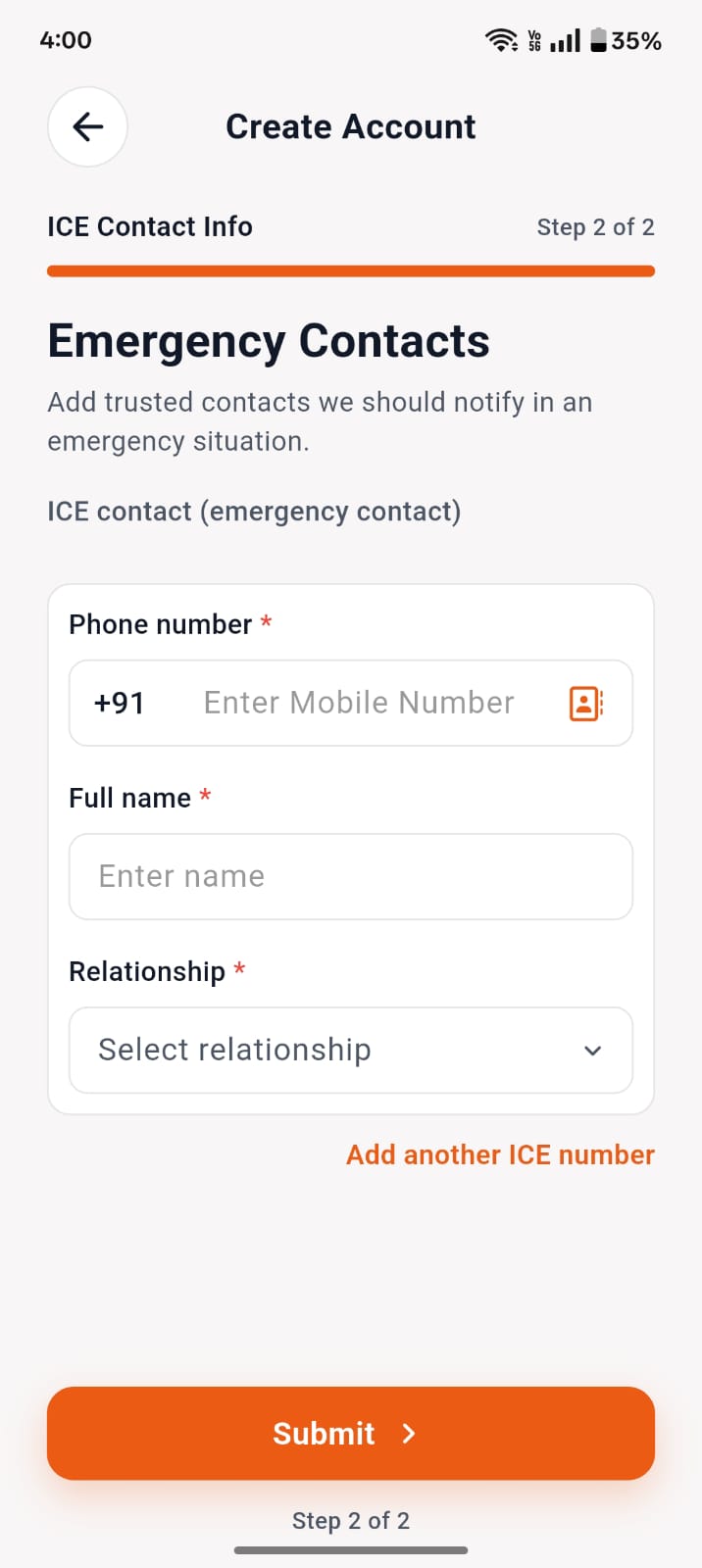
Add Your ICE Contacts
05
πŸš€ Step 5

Your Safety Dashboard is Ready

Land on your dashboard with one-tap Quick Services and the "Scan for Help" button β€” your verified ICE Card is now ready to save a life.
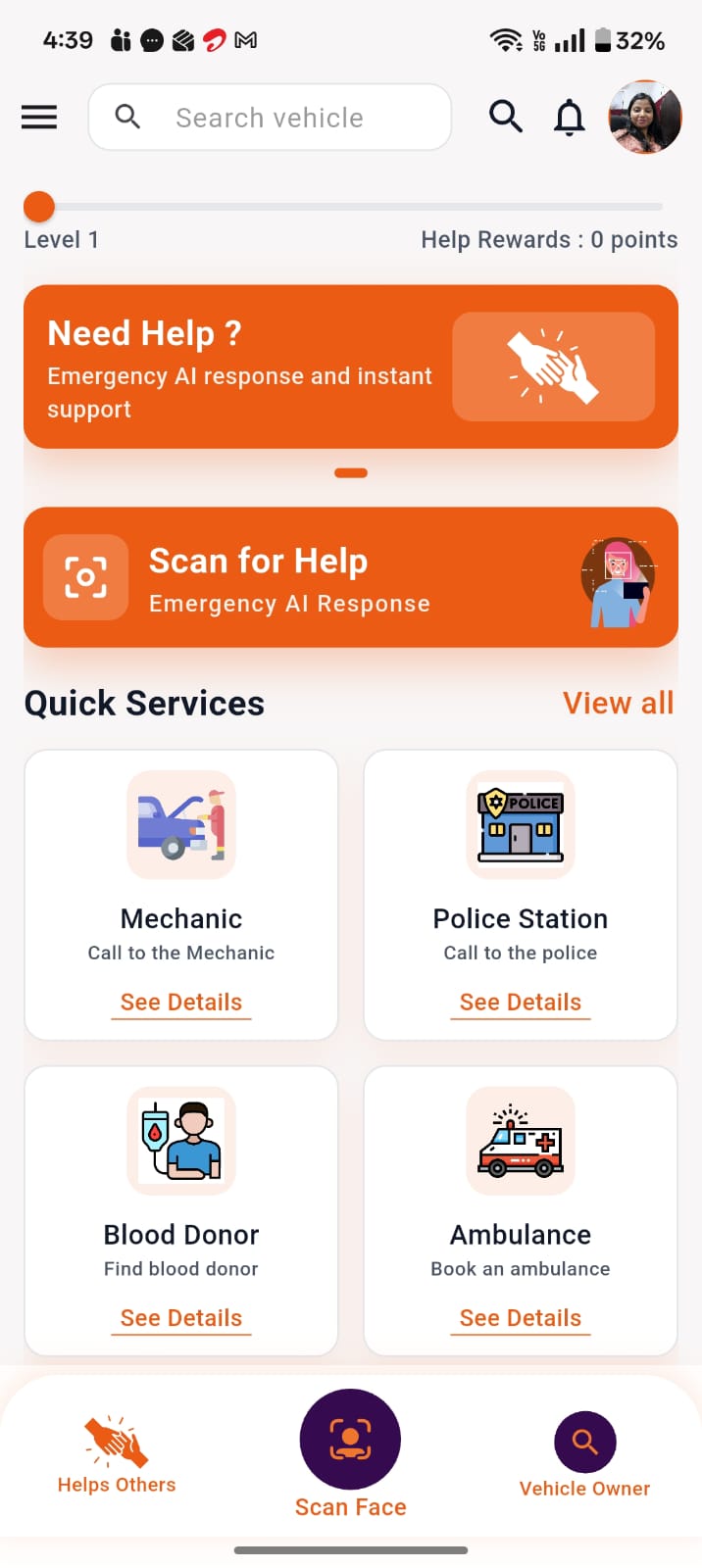
Your Safety Dashboard is Ready
5

πŸ” How It Works in an Emergency (Two Perspectives)

DUAL RESCUE WORKFLOW

Help Given & Help Received

When You Need Help (If Unconscious or Injured)

πŸ“±

No Phone Access Needed

Responders do not need to unlock your phone, wallet, or handbag.

β†’
πŸ“·

Quick Responders Scan

Any registered ICEcard user or paramedic scans your face using their own phone.

β†’
🩺

Vital Info Display

Only the primary medical and emergency contact details you have designated are displayed.

β†’
πŸ“

Automated Family Notification

An instant alert with the helper's contact details and your current location is dispatched to your emergency contacts.

β†’

When You Help Others in Distress

πŸ”

Open ICEcard App

Tap the emergency scan button when you encounter someone in need of assistance.

β†’
πŸ“Έ

Scan the Individual

Point the camera to initiate AI-assisted facial recognition.

β†’
πŸ“ž

Access Emergency Contacts

View primary contacts and medical warnings to call family or ambulance personnel immediately.

β†’
πŸ›‘οΈ

Mutual Accountability

Your contact details are securely shared with their family so they know who offered assistance.

β†’

πŸ₯ Additional In-App Life Support Services

OMPLETE ECOSYSTEM

Built-in Life Safety Capabilities

Blood Request & Donation

πŸ“±

No Phone Access Needed

Responders do not need to unlock your phone, wallet, or handbag.

β†’
πŸ“·

Quick Responders Scan

Any registered ICEcard user or paramedic scans your face using their own phone.

β†’
🩺

Vital Info Display

Only the primary medical and emergency contact details you have designated are displayed.

β†’
πŸ“

Automated Family Notification

An instant alert with the helper's contact details and your current location is dispatched to your emergency contacts.

β†’

πŸ₯ Additional In-App Life Support Services

COMPLETE ECOSYSTEM

Built-in Life Safety Capabilities

Integrated real-time support tools designed to handle every critical aspect of an emergency.

🩸
Blood Support

Emergency Blood Network

Request emergency blood from nearby donors or register yourself as a life-saving blood donor.

πŸš‘
Rapid Dispatch

Request & Live Tracking

Quickly call ambulance or air ambulance services and track vehicle arrival in real time.

πŸš—
Vehicle Safety

Vehicle Emergency Details

Register your vehicle details so other users can assist in case of an accident or parking obstruction.

πŸ—ΊοΈ
Nearby Assistance

Nearby Critical Services

Locate nearby hospitals, doctors, police stations, fire services, and breakdown assistance instantly.

πŸ“² Available Now

Keep Your Emergency Information Within Reach

Download ICE Card and take a smarter step toward being prepared β€” for you, and everyone in your family.

Download buttonDownload button

Download Now

Be a face of ICEcard

Share your photo with us and get a chance to be the face of ICEcard! Your photo could be featured on our social media platforms and proudly displayed on our website, inspiring others to join the ICEcard community.